Game artist
Block out a prop, creature, or environment object from a concise visual brief.
Get a starting mesh to reshape, retopologize, texture, or place in a scene.
hunyuan3d examples freeDefinition guide
What is hunyuan3d software? It is a generative 3D system that interprets text or images, predicts shape and surface structure, and produces a model for review and further editing.
Related paths
Use these focused guides to move from the definition to a practical workflow, image input, or an open interface.
Who uses it
Hunyuan3D is most useful when a rough concept needs to become a tangible object quickly enough for review, iteration, or presentation.
Block out a prop, creature, or environment object from a concise visual brief.
Get a starting mesh to reshape, retopologize, texture, or place in a scene.
hunyuan3d examples freeExplore the silhouette of a consumer object before committing to detailed CAD work.
Compare several concept directions and identify the strongest form earlier.
hunyuan 3d free onlineTest generated geometry as a rough asset inside a broader content pipeline.
Use the result as a reference, blockout, or base for manual cleanup and optimization.
hunyuan 3d comfyuiTurn a single character, prop, or creature image into a dimensional starting point.
Inspect the idea from new angles instead of relying only on a flat reference.
hunyuan3d image to 3dCore mechanism
The system moves from intent to structure, then presents a result that can be judged and refined rather than treated as a finished production asset.
Provide a text prompt or an image that establishes the object, style, proportions, and visual priorities.
The model infers volume, surfaces, and likely unseen areas from the available information, producing a coherent first mesh.
Review the shape from multiple views, then adjust, retopologize, texture, or rebuild parts that need production-level control.
Practical boundaries
Hunyuan3D accelerates ideation, but generated geometry still needs judgment. The best results come from treating the output as a capable starting point.
A single image or short prompt does not fully specify the back, underside, or internal construction of an object.
WorkaroundUse multiple references, choose a clear view, and inspect every side before relying on the model.
A visually convincing mesh is not automatically ready for deformation, simulation, subdivision, or efficient real-time use.
WorkaroundRetopologize and simplify the asset for its intended engine, renderer, or animation rig.
Thin parts, repeated patterns, fine openings, and precise mechanical features may merge, soften, or shift.
WorkaroundModel critical details manually or use the generated result as a blockout.
The software interprets language and visual evidence rather than following dimensions like a conventional CAD system.
WorkaroundAdd explicit references and verify proportions with a separate measurement or modeling workflow.
At a glance
These concise markers describe the main interaction model without suggesting that every output is production-ready.
Workflow context
The software changes where effort is spent: less time on the first shape, more time on evaluation, cleanup, and purposeful refinement.
Hunyuan3D
Manual modeling
Hunyuan3D
Prompt or reference image
Manual modeling
Blank scene, sketch, or measurements
Hunyuan3D
Generated from interpreted visual intent
Manual modeling
Built interactively by the artist
Hunyuan3D
Inferred from incomplete evidence
Manual modeling
Specified directly by the modeler
Hunyuan3D
Fast for comparing broad concepts
Manual modeling
Slower at the blockout stage
Hunyuan3D
Requires inspection and cleanup
Manual modeling
Direct control from the beginning
Hunyuan3D
Best for approximate forms and ideation
Manual modeling
Better for measured or engineered objects
Hunyuan3D
Generates a starting direction
Manual modeling
Defines and resolves the final asset
Visual transformation
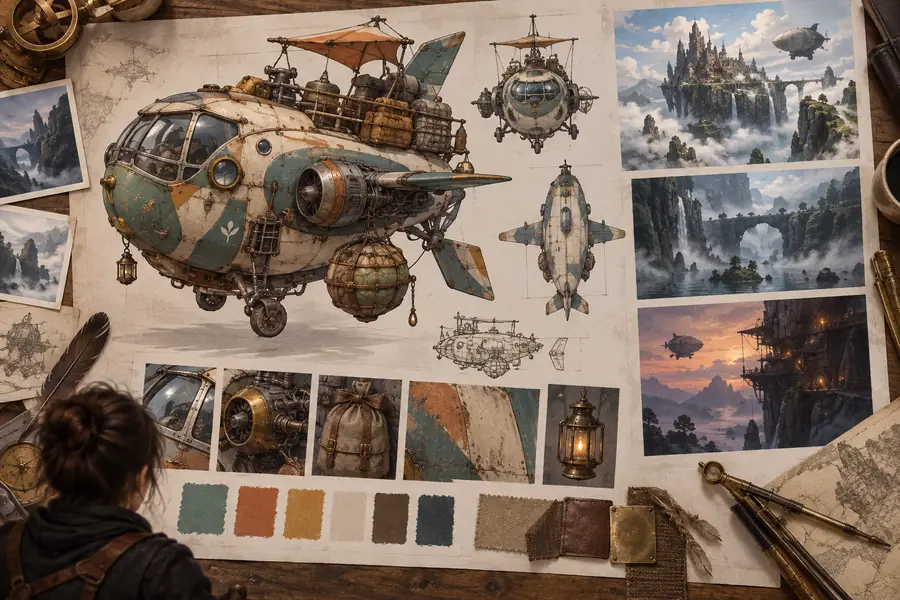
A flat visual gives the system evidence; the generated result adds volume that can be examined from viewpoints the original image did not show.
The output is a starting point, not a guaranteed final asset.

Common question
Here are direct answers to the central question behind this guide: what is hunyuan3d software, and where does it fit in a 3D workflow?
Hunyuan3D is a generative 3D system that creates model geometry from text prompts or visual references. It is designed to help people move from an idea to a three-dimensional starting point more quickly.
The software is used for concept exploration, rough asset creation, reference development, and early 3D visualization. Artists can inspect the generated result and continue refining it in a broader modeling or content pipeline.
Not necessarily. The result can require topology cleanup, proportion adjustments, material work, optimization, or manual remodeling before it is suitable for animation, games, manufacturing, or other demanding production uses.
Yes, image input can provide visual evidence about the subject's silhouette, details, and style. Because one image leaves some surfaces unseen, the generated model should be checked from multiple angles.
No. It is better understood as a fast generative starting point that complements traditional modeling. Manual tools remain important when an asset needs exact dimensions, controlled topology, engineered parts, or precise deformation.