H Hunyuan3D

Workflow comparison

Compare hunyuan3d 2.1 vs meshy for practical 3D work

Hunyuan3D 2.1 vs Meshy is less about finding one universal winner and more about matching the tool to your workflow. Compare control, convenience, and output needs before you commit.

Text or image input
Common starting points
Mesh and texture output
Typical 3D deliverables
Hosted or local paths
Different setup models

Limits and edges

Where the comparison has edges

Neither platform removes the hard parts of 3D production. The right choice depends on how much setup, cleanup, and artistic direction your project can absorb.

  • Neither tool guarantees production-ready topology

    A generated mesh may need retopology, scale checks, UV review, or manual cleanup before animation, simulation, or a polished game pipeline.

    WorkaroundTreat the first result as a base asset and reserve time for Blender or another 3D editor.

  • Reference images cannot express every 3D decision

    A single image can hide the back, underside, proportions, and construction details, so both tools may infer geometry differently from your intention.

    WorkaroundUse clear multi-view references when available and inspect the model from every angle.

  • Local control adds technical overhead

    Hunyuan3D can suit users who want more control over an open model workflow, but local inference brings installation, hardware, model, and dependency concerns.

    WorkaroundUse a hosted workflow for quick trials, or test the local setup on a small project first.

  • Convenience can limit deep customization

    Meshy provides a streamlined hosted experience, while a more managed interface may expose fewer low-level choices than a self-directed pipeline.

    WorkaroundChoose the managed path for speed, then move the exported asset into a DCC when detailed edits matter.

Decision method

A simple three-step comparison

Use the same brief, inspect the same criteria, and judge the result against the next step in your pipeline rather than against a screenshot.

  1. 1

    Define the asset brief

    Write down the subject, style, camera intent, required details, target use, and whether you need a textured object or only a rough shape.

  2. 2

    Test equivalent inputs

    Give each workflow a comparable prompt or reference image. Keep the source quality and creative direction as consistent as possible.

  3. 3

    Score the usable result

    Compare silhouette, hidden surfaces, material response, editability, cleanup time, and how easily the asset reaches your final destination.

Continue exploring

The best comparison is easier when you understand the workflow around each option.

Side-by-side view

Hunyuan3D 2.1 and Meshy by attribute

This table is a practical orientation, not a permanent benchmark. Features, model versions, interfaces, and hosted limits can change, so verify the current workflow before a production decision.

1

Access model

Hunyuan3D 2.1

Open-model and self-directed workflows are possible, depending on the implementation you use.

Meshy

Hosted product workflow designed to be accessed through a managed interface.

2

Setup effort

Hunyuan3D 2.1

Usually higher when running locally because hardware, dependencies, and model files must be configured.

Meshy

Lower initial setup because the service manages more of the environment.

3

Input style

Hunyuan3D 2.1

Useful for text-to-3D and image-guided experimentation, with the exact experience depending on the interface.

Meshy

Supports an approachable prompt and reference-driven workflow for fast asset exploration.

4

Low-level control

Hunyuan3D 2.1

Better suited to users who want to inspect, script, adapt, or integrate an open model workflow.

Meshy

Optimized more for a guided product experience than for modifying the underlying model pipeline.

5

Iteration speed

Hunyuan3D 2.1

Can be efficient after setup, but local generation time depends heavily on hardware and configuration.

Meshy

Convenient for rapid browser-based tests when the hosted workflow fits the task.

6

Material workflow

Hunyuan3D 2.1

Can support textured or material-aware results, but the final quality and controls depend on the chosen implementation.

Meshy

Presents material generation as part of a more packaged asset-creation workflow.

7

Pipeline fit

Hunyuan3D 2.1

A natural candidate for technical users building a customizable or local research workflow.

Meshy

A natural candidate for artists, designers, and teams prioritizing a shorter route from idea to preview.

8

Best first question

Hunyuan3D 2.1

Do I need control over the model workflow and can I support the technical setup?

Meshy

Do I want a managed interface that reduces setup while I explore or produce assets?

Best-fit users

Which workflow fits your situation?

The comparison becomes clearer when the next deliverable is specific. Start with the role and constraint that most closely match your project.

Technical artist

You want to test an open model, automate repeated experiments, or connect generation to a broader local pipeline.

Hunyuan3D may be the stronger starting point when control and inspectability matter more than instant setup.

hunyuan3d alternative free
Indie game designer

You need rough props and characters quickly, then plan to reshape them in Blender or your game engine.

Choose the workflow that produces the most useful silhouette with the least cleanup for your current asset style.

hunyuan3d alternative free

Product or concept designer

You are turning reference images into visual prototypes and want to compare several directions before modeling by hand.

A managed Meshy-style workflow can reduce friction, while Hunyuan3D is worth testing when local control is part of the brief.

hunyuan3d alternative free

3D learner

You are learning how prompts, references, topology, and materials affect generated assets.

Start with the interface that makes iteration understandable, then inspect every result in a separate 3D editor.

hunyuan3d alternative free

Same brief

From reference image to inspectable asset

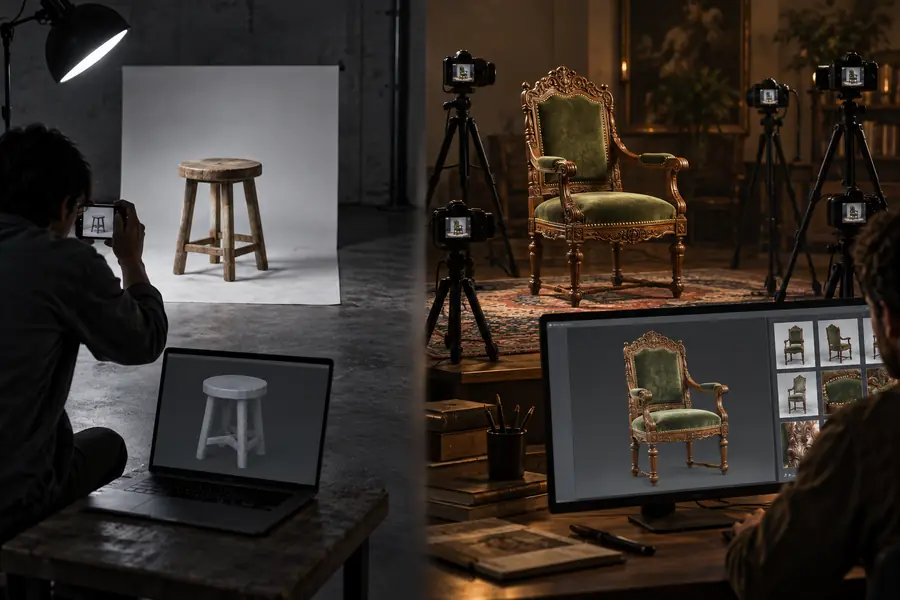
A useful comparison follows the asset through the workflow instead of judging only the first preview.

  • Reference input
  • Generated output

Compare the usable mesh, not only the preview.

Reference image prepared for an image-to-3D workflow
Generated 3D asset preview with visible material detail

Quick answers

Hunyuan3D 2.1 vs Meshy FAQ

These answers focus on the practical questions people ask before choosing between an open-model route and a managed 3D generation service.

Hunyuan3D 2.1 is generally considered an open-model option that can support more self-directed experimentation, while Meshy is a managed product experience. The meaningful difference is control and setup versus convenience and a shorter path to a preview.

Neither is automatically better for every project. Hunyuan3D 2.1 may fit technical users who value local control and pipeline customization, while Meshy may fit users who prioritize a guided hosted workflow and fast iteration.

Meshy is usually easier to try because more of the environment is managed for you. Hunyuan3D 2.1 can become straightforward once configured, but local installation and hardware requirements may create a steeper first step.

Both workflows can be used for image-guided 3D generation, although the exact controls and results depend on the current interface or implementation. Use a clear reference, inspect hidden surfaces, and expect to refine the generated mesh.

Hunyuan3D 2.1 is the more natural choice when you want to work with an open model and shape the surrounding pipeline yourself. Meshy emphasizes a packaged experience, so it can be preferable when low-level configuration is not part of the goal.

Start creating
Start creating